At a Glance
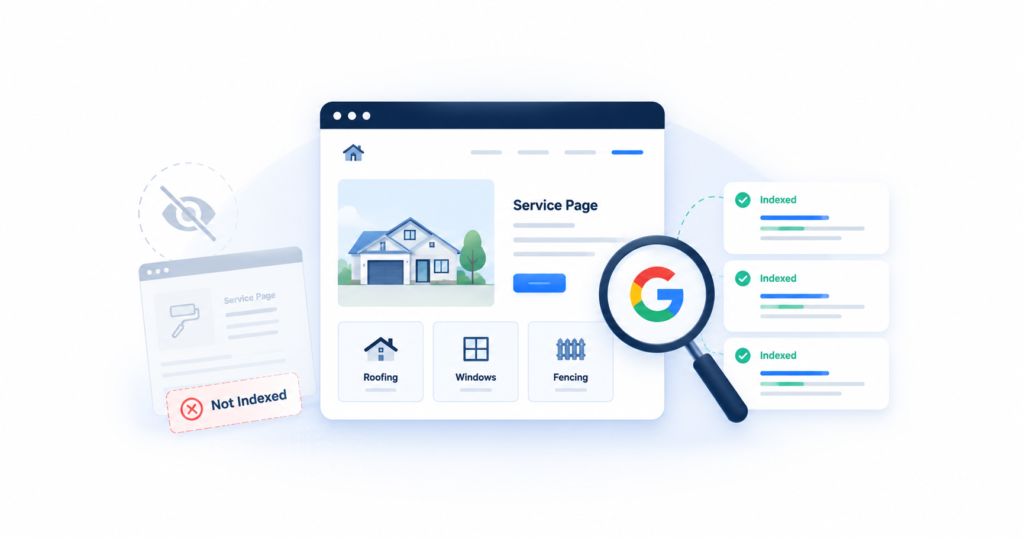
A service page that loads perfectly in a browser is not automatically eligible to show up in Google. It can be live, unindexed, or indexed and simply outranked, each a different problem with a different fix. Businesses running multiple service or city pages run into this more than most.
| The problem | A live page is not automatically discovered, crawled, or indexed by Google. Each stage can fail on its own, without any error message telling you so |
| Who it affects | Service-area businesses running multiple service, city, or location pages, especially when those pages share a template |
| What you can check | Whether the exact URL and a distinctive sentence from the page turn up in Google, and what Search Console’s URL Inspection tool reports for that URL |
| What we diagnose | Discovery, crawling, canonical selection, rendering, duplication, and internal linking, using Search Console and server-level data instead of guesswork |
| How to request a spot check | Message us with your website and the word INDEX. We will look at one page and tell you what we see |
Live, Discovered, Crawled, Indexed, Ranking: Five Different Things
These words get used as if they mean the same thing. Google treats them as five separate checkpoints. Its own explanation of how Search works is direct about it: indexing is not guaranteed just because a page has been crawled, and being indexed does not guarantee it will rank well. A page can stall at any one of these stages without affecting the others.
Live
The page loads when a visitor, or you, open the URL directly. This confirms the page exists and your hosting works. It says nothing about whether Google has ever seen it.
Discovered
Google knows the URL exists, usually because it found a link to it or saw it in a sitemap. Discovery does not mean a crawler has actually visited yet.
Crawled
Googlebot retrieved the page. It has read the content. That still does not mean Google decided to keep it.
Indexed
Google selected the page for its index, which makes it eligible to appear in results. Eligible is not the same as visible for any particular search.
Ranking
Google judges the page relevant enough to show for a specific query. This is where competitiveness, relevance, and page quality actually get compared against everyone else’s pages.
Most of the frustration business owners feel starts at the gap between stage one and stage four. The page is obviously live. It looks fine. And it is still nowhere in Google, because something upstream never happened.
A Five-Minute Check You Can Run Right Now
You do not need Search Console access to get a first read. Three quick searches will tell you roughly where a page stands, though none of them is a final answer on their own.
- Search the exact URL. Paste the full page address into Google as if it were a search term. If it comes back as the top result, that is a reasonable sign the page is indexed under that URL.
- Search a distinctive sentence from the page, in quotes. Pick a sentence that is specific to that page, not a line repeated across every service page on your site. If it does not surface the page at all, that is worth investigating further.
- Use a site: search, carefully. Searching
site:yourdomain.com "your service name"narrows results to your domain. It can surface a pattern, like every city page appearing except one.
The site: search caveat
Google’s own documentation on the site: operator is explicit that it “doesn’t necessarily return all the URLs that are indexed” under a domain, and that bigger sites shouldn’t expect to see every URL in the results. Treat a site: search as an initial clue, not a definitive indexing report. If a page doesn’t turn up, that’s a reason to check further, not proof the page is unindexed.
If any of these three checks look off, especially on a page you’re counting on for leads, that’s a reasonable moment to get a second opinion before spending more time guessing.
Free Spot Check
Not sure what you’re looking at?
Send us your website and the word INDEX. We’ll spot-check one important service page and tell you whether we see an immediately visible indexation issue. No call required.
The More Reliable Check: Search Console’s URL Inspection Tool
If you have Google Search Console set up for your domain, its URL Inspection tool is the source Google itself points to for a definitive read. Paste the full URL into the inspection bar at the top of any Search Console property and it returns a status. Google’s own URL Inspection tool documentation and its Page Indexing report documentation define what each status means. None of them point to one single cause, and a few of the more common ones are worth knowing before you see them.
| URL is on Google | The page is indexed and eligible to appear in results. Appearing for a specific search is still a separate question |
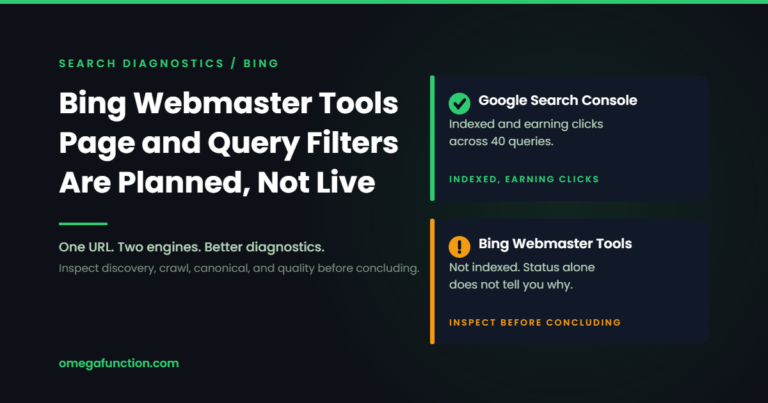
| URL is not on Google | Not currently indexed. Search Console groups the reason into one of the statuses below |
| Discovered, not indexed | Google found the URL through a link or sitemap but has not crawled it yet, often a discovery or crawl-priority issue rather than a fixable bug |
| Crawled, not indexed | Googlebot visited the page and chose not to index it. This can be technical, content-related, or site-wide, and is rarely one simple cause |
| Duplicate, no user canonical | Multiple similar URLs exist with no declared preference, so Google picked one on its own |
| Duplicate, different canonical chosen | A canonical tag was set, but Google’s systems selected a different URL as the better representative |
| Excluded by noindex tag | A noindex directive is telling Google not to index the page, whether that was intentional or not |
| Blocked by robots.txt | Crawling is disallowed, which also means Google cannot see anything on the page, including a canonical tag |
| Page with redirect | The URL redirects elsewhere. The destination page is what actually gets evaluated for indexing |
| Soft 404 | The server returns a success status, but the page reads to Google as empty or nonexistent |
A Practical Diagnostic Table
This is less about the exact Search Console label and more about what a business owner actually sees first. Match what you’re seeing to the row below for a starting point.
| What You See | Possible Cause | Why It Matters | What to Check Next |
| The exact URL never appears, even in quotes | Not indexed, blocked by robots.txt, or carrying a noindex tag | Nothing else about the page matters until this is resolved | Run URL Inspection and check robots.txt directly |
| A different one of your city pages shows up instead | Google selected a different canonical, usually because the pages are too similar | Traffic and relevance you built land on the wrong page | Compare headings and service copy across your city pages for near-duplication |
| Search Console shows “Crawled, currently not indexed” | Could be a technical issue or a broader quality signal, rarely just one cause | Resubmitting the sitemap alone will not usually change it | Rule out crawl and canonical issues first, then assess whether the page says anything competitors don’t |
| The page is indexed but never shows up for searches you care about | Indexing and ranking are separate. Google indexed it and judged it not relevant enough for that query | The page is technically fine. The problem is relevance or competitiveness, not indexing | Compare the page against what currently ranks for that search |
| GA4 shows visits, but Search Console shows almost no impressions | The page may not be indexed. GA4 counts visits regardless of how someone arrived | Traffic from an ad or a direct link does not confirm Google can find the page on its own | Check the same URL in URL Inspection, not just in analytics |
| The page looks fine in a browser but a crawl tool reports missing content or links | A rendering difference between what a browser shows and what Googlebot’s rendering service sees | Content or links Google can’t see might as well not exist for indexing purposes | Compare the page’s rendered HTML against its actual source |
| The page is brand new | Not indexed yet simply because Google hasn’t gotten to it | Not automatically a problem. Discovery and crawling take time | Give it time, then recheck status before assuming something is broken |
Why Multi-Location Service Pages Are Especially Vulnerable
Businesses operating across a metro area often serve multiple nearby cities, and building a separate page for each one is a defensible structure. The problem isn’t the number of pages. It’s what actually differs between them. Swap the city name in a headline and keep everything else, identical headings, identical service paragraphs, identical FAQ answers, and you’ve built pages that are hard for Google to tell apart. That’s the exact situation behind several of the statuses above: Google’s canonicalization documentation explains that when it finds near-duplicate content, it consolidates it under one canonical version and treats the rest as alternates. The pages don’t just fail individually. They end up competing with each other for the same query, sometimes called internal keyword cannibalization.
Real differentiation has to come from something substantive, not just a place name. Genuine differences between city pages might include the specific services actually offered in that area, response times or availability that differ by location, permits or regulations that vary by city, examples or details specific to work done there, or the questions customers in that market actually ask. A neighborhood mention or a ZIP code dropped into otherwise identical copy doesn’t create that difference. Google’s systems are not evaluating whether a city name appears. They’re evaluating whether the page offers something the others don’t.
Self-Check
Duplicate Service-Area Page Risk
Check every statement that’s true for your city or service-area pages right now.
How a Technical SEO Consultant Digs Deeper
When the quick checks don't give a clear answer, the next step is a structured process, not a guess. This is roughly the order an experienced technical SEO consultant works through, cheapest and fastest to check first.
A. Accessibility
HTTP response codes, robots.txt rules, noindex directives on the page or in an X-Robots-Tag header, and login or firewall restrictions that could be quietly blocking Googlebot.
B. Canonicalization
Whether the page has a self-referencing canonical tag, what canonical Google actually selected, redirect chains, and duplicate URL variants created by parameters or trailing slashes.
C. Discovery and Site Architecture
Whether the URL is listed in the XML sitemap, how many internal links point to it, whether it's an orphaned page with no path from the homepage, and how many clicks deep it sits.
D. Differentiation and Usefulness
Repetitive location pages, thin service descriptions, overlapping search intent between pages, and whether the content offers anything a reader couldn't get from a competitor's page.
E. Rendering and JavaScript
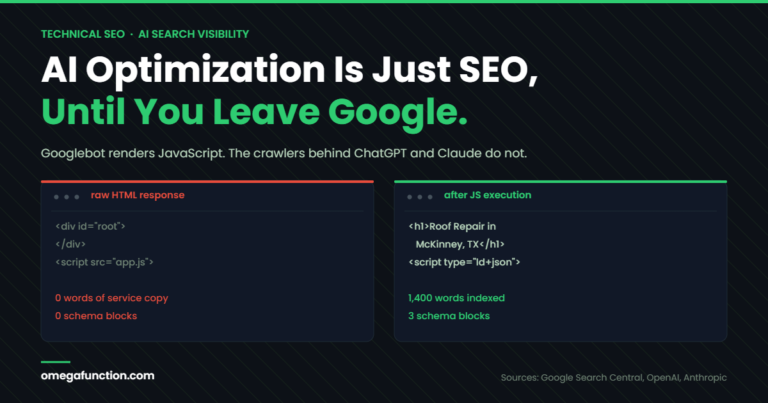
Whether content or navigation links visible in a browser are also present in what Google's rendering service actually sees, since a gap there means Google may be working from an incomplete version of the page.
F. Crawl Priority and Site Quality
"Crawl budget" gets blamed often and rarely applies to a small site. What actually matters more commonly is a large share of low-value URLs, inconsistent internal signals, or a newer site still earning Google's trust.
What Not to Do
- Requesting indexing repeatedly without changing anything on the page or fixing the underlying cause
- Publishing another nearly identical city page instead of strengthening the one you already have
- Assuming a listing in the XML sitemap forces Google to crawl or index a page. Google's own documentation says a sitemap "doesn't guarantee" either
- Changing URLs when nothing about the page's accessibility or canonical status actually required it
- Removing a canonical tag without understanding what it is currently telling Google
- Blocking Googlebot in robots.txt while trying to keep out unrelated AI crawlers. A rule written too broadly can catch both
- Treating a page that loads fine in a browser as proof it is indexed
- Assuming GA4 traffic numbers say anything about whether Google has indexed a page. GA4 measures visits from any source, not indexing status
What You Can Check Yourself vs. What Needs Technical Help
Business Owners Can Often Check
- Whether important pages are linked from your own site's navigation or other pages
- Whether a page shows as indexed in Search Console, if you have access
- Whether your city or service pages repeat the same headings and paragraphs
- Whether a page is included in your XML sitemap
Usually Needs Technical Help
- Canonical conflicts, where Google is choosing a different URL than expected
- Rendering differences between what a browser shows and what Googlebot sees
- A noindex tag applied site-wide through a template rather than one page
- Crawl traps, redirect chains, and server configuration issues
- Larger-scale internal linking and site architecture decisions
If you've worked through the checks above and still aren't sure whether the cause is technical, canonical, or a differentiation problem, a technical SEO audit is built to answer that with data instead of guessing. Not sure whether Google is indexing the pages that matter to your business? Message Omega Function with your website and the word INDEX. We will spot-check one important service page and tell you whether an immediately visible indexation issue exists. No call required.
Frequently Asked Questions
No. Request Indexing prompts Google to take another look. It does not force a page into the index. If the underlying cause, a crawl barrier, a canonical conflict, or a content issue, hasn't changed, requesting indexing again typically produces the same result.
Google does not publish a fixed timeline, and none exists. Discovery and crawling happen on Google's own schedule, influenced by how the page is linked internally, whether it's in a sitemap, and the site's overall crawl priority. A brand-new page not showing up after a few days is not automatically a problem.
It's a useful first clue, not an accurate test. Google's own documentation on search operators states that site: results are not guaranteed to be complete. Search Console's URL Inspection tool is the source Google itself recommends for a definitive check on a specific URL.
Per Google's own canonicalization documentation, a rel="canonical" tag is a strong signal, not a command. Google weighs it alongside redirects, duplicate content patterns, and other signals, and can select a different URL if its systems judge another version to be the better representative.
Only if each page has something genuinely different to say, real service differences, availability, local specifics, or distinct customer questions. A page that only swaps the city name usually competes with your other pages rather than adding new value.
Yes. Indexing makes a page eligible to appear. Whether it actually shows up for a given search depends on relevance and competition, which are evaluated separately. An indexed page with zero impressions usually points to a relevance or competitiveness problem, not an indexing one.
No. GA4 measures visits after someone arrives at a page, regardless of the source, a social ad, a direct link, or organic search. It has no bearing on whether Google has crawled or indexed the page. Search Console, not GA4, is the source for indexing status.
Yes. The spot-check offered above is exactly that: one page, checked directly. A full technical audit covers the whole site, but there's no requirement to start there.
Want this kind of insight applied to your stack?
Send a Message or Loom walking through your current setup and we'll come back with a scoped plan, not a sales pitch.
Get Started →